

Active Staging Site Warnings
Prevent wasted time with double warnings for your client when their staging site is active. Oh, and remember to disable “Search engines discouraged”.
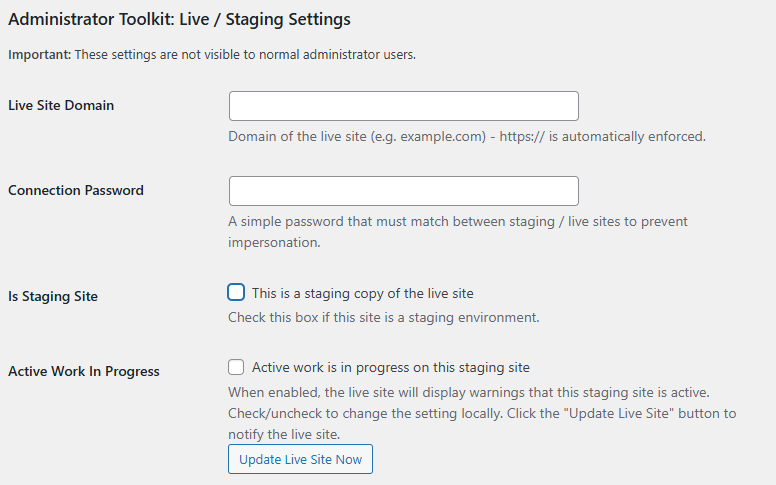
Stop client confusion and wasted time with clear visual warnings that (should) prevent accidental live site edits.
When you’re working on staging, the last thing you need is clients inadvertently making changes to their live site, creating conflicts, duplicated work, and frustration for everyone involved.
Our multi-layered warning system displays prominent notices on login screens and persistent admin bar alerts, making it impossible for clients to miss that they shouldn’t be editing the live site.
Colour-coded warnings (orange for staging, red for live) provide instant visual context, while the system will also trigger notification emails when live site logins occur.
This allows you to quickly check in with clients who may have accidentally accessed their live site, ensuring no unwanted changes slip through.
It’s a simple solution that saves hours of conflict resolution and prevents the headaches that come from mixed-up edits.
The clients staging site has now been pushed to live, but their search rankings are starting to fall, but why?
Hands up if you’ve ever left “Discourage search engines from indexing this site” enabled by mistake after a client site launch / clone to live? By default WordPress shows a tiny notice on the dashboard “At a Glance”, but its easy to miss.
A handy red warning notice will be shown in the admin bar as a visual reminder that the setting is still enabled.

Related: Features: Deep Dive
Administrator Toolkit: Advanced admin management & risk reduction.
Like to know more how Administrator Toolkit can help you?